
Who Needs High-Integrity Asset Management, and Why?
A Day in the Life with The High Integrity Tag Wizard
Let’s imagine Sarah, a facilities technician responsible for managing hundreds of assets across multiple sites.
This article is her/your complete guide to asset tagging and management, showing how high-integrity solutions like Tag Wizard transform the process for facilities managers, operations teams, compliance officers, and anyone responsible for physical assets.
High-integrity asset management matters for organizations that need to ensure compliance, maximize operational efficiency, and prevent asset loss.
Whether you’re overseeing equipment, vehicles, or property, maintaining high integrity in your asset management processes is essential for meeting regulatory requirements, reducing downtime, and protecting your investments.
Tag Wizard, the high-integrity asset tagging system, makes Sarah’s job easier and more efficient. High integrity means consistently acting with honesty, strong moral principles, and ethical standards, even when difficult or unobserved.
Tag Wizard also supports asset lifecycle management, helping Sarah oversee assets from acquisition to retirement.
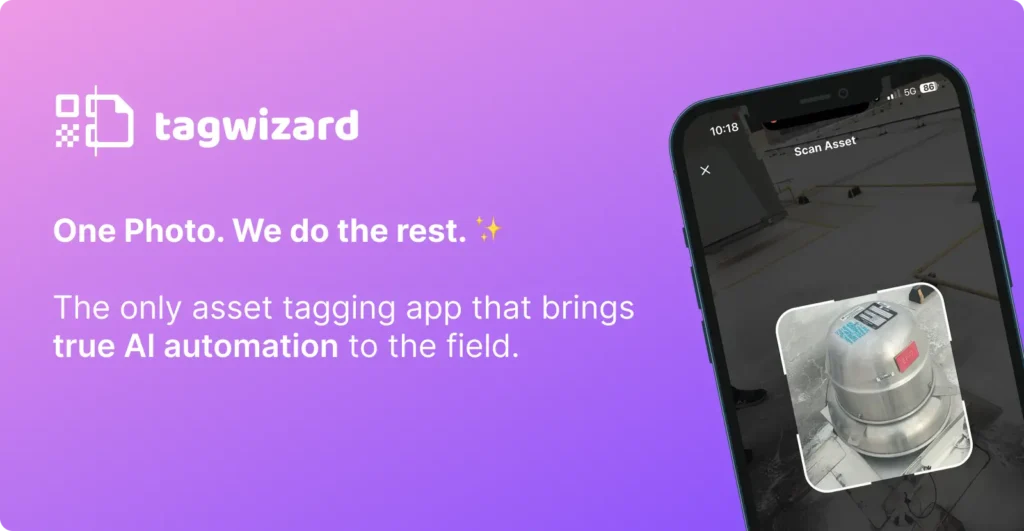
One Photo. We Do the Rest.
📱 Download Tag Wizard
Introduction to Asset Management
Asset management is the backbone of any organization that relies on physical assets to operate efficiently.
Whether you’re overseeing equipment, vehicles, or property, having a systematic approach to asset management ensures that every asset is accounted for, maintained, and utilized to its fullest potential.
An effective asset tracking system allows businesses to track assets in real time, monitor their condition, and manage inventory across multiple locations.
By implementing asset tracking, companies can minimize asset loss, reduce downtime, and boost operational efficiency.
Managing assets proactively not only protects your investment but also streamlines daily operations, making it easier to scale and adapt as your business grows.
☕ Morning: Quick Asset Capture with Asset Tracking System on the Go
How Tag Wizard Simplifies Asset Capture
Starting her day, Sarah walks through the facility with her smartphone.
Instead of lugging around bulky scanners or filling out spreadsheets, she simply points her phone’s camera at each asset and, when possible, its unique ID: whether it’s a QR code, barcode, or serial number visible on the equipment.
Tag Wizard eliminates the need for extra equipment like dedicated barcode scanners, streamlining the process.
One photo is all it takes.
Custom Fields and Data Accuracy
Tag Wizard’s advanced OCR and scanning technology supports both barcode scanning and QR code labels for asset identification, instantly capturing accurate asset details, condition updates, and location data.
Custom fields allow Sarah to record specific asset information, such as maintenance history or depreciation, tailored to her facility’s needs.
Tag Wizard’s advanced features also include the ability to access historical data for each asset, supporting better decision-making and maintenance planning.
🕓 Afternoon: Real-Time Tracking Updates and Compliance Confidence
Effortless Record Keeping and Compliance
Back at her desk, Sarah reviews the automatically organized asset records in Tag Wizard’s web-based, cloud-based asset management software.
Maintenance schedules, usage history, and compliance data are all up to date without extra effort.
Tag Wizard enables tracking of asset condition and asset locations in real time, ensuring operational efficiency and accurate inventory tracking.
Reporting and Alerts
When regulatory audits come around, Sarah can generate complete custom reports (including statements about asset status, depreciation, and maintenance) with a few clicks, thanks to the unified taxonomy and workforce-powered data collection.
Users can also receive alerts for stock levels, asset locations, and planned preventive maintenance, streamlining equipment management and scheduling.
The software supports lifecycle management, helping organizations oversee assets from acquisition to disposal. With cloud-based access, users can view, update, and export asset data at any time, ensuring real-time access to critical asset information.
🌇 Evening: Empowering the Entire Team for Asset Management
Team Collaboration and Multi-User Access
Throughout the day, other employees—kitchen managers, operators, and technicians, also use Tag Wizard on their mobile devices.
Tag Wizard supports team collaboration with flexible multi-user access, allowing each person in the company to have their own level of access.
Real-Time Updates and Asset Accountability
Everyone contributes to the asset database simply by snapping photos during their daily routines. Employees can also reserve and check out equipment, ensuring clear ownership of assets and reducing double bookings.
This collective effort ensures that asset data stays current and reliable, reducing asset loss and downtime. Tracking all assets a business owns is essential for maintaining accurate records and accountability.
The benefits for the company include reducing losses, improving operational efficiency, and enabling better planning.
Best Practices for Asset Tagging
Asset tagging is a foundational step in building a reliable asset management strategy.
To get the most out of your asset tracking system, start by assigning a unique identifier (such as a serial number, barcode, or QR code) to every asset, from IT equipment and office furniture to heavy equipment on the shop floor.
Store all asset data in a centralized database, ensuring that information is accessible and up to date.
Consistency is key: use the same asset tagging standards across all assets to avoid confusion and errors.
Leveraging a mobile device-based asset tracking system enables your team to update asset records on the go, supporting real-time tracking and making it easy to streamline audits.
By following these best practices, you’ll reduce the risk of asset loss, improve accountability, and ensure that your asset management process is both accurate and efficient.
📱 Download Tag Wizard
Implementing an Asset Tracking System
Rolling out an asset tracking system starts with a clear understanding of your organization’s asset management goals. Are you aiming to improve operational efficiency, cut maintenance costs, or enhance inventory management?
Once your objectives are set, choose asset tracking software that aligns with your needs—look for features like scalability, user-friendly interfaces, and customizable asset tagging options.
Establish straightforward processes for tagging assets, entering asset data, and scheduling maintenance to maintain high integrity across your asset records.
With the right asset tracking system in place, you’ll gain instant access to critical asset details, including location history, maintenance history, and usage data.
This level of visibility helps reduce asset loss, ensures maintenance schedules are met, and supports informed decision-making.
Ultimately, a robust asset tracking system empowers your team to manage assets with confidence, maintain integrity, and drive operational excellence.
Why Sarah Loves Tag Wizard for Asset Tagging
Key Features
- Tamper-Evident Security
Support for RFID tags and QR codes for secure asset identification. - No special hardware needed
Just the smartphone she already carries. - Fast, accurate asset data capture with one photo.
- Real-time visibility into movable and fixed assets, vehicle fleet, tools, and IT devices across sites.
- RFID tags and QR codes for secure, tamper-evident asset identification and protection.
- Location tracking for precise, real-time asset monitoring and loss prevention.
- Magic Scanning UI
Transforming a photo into data. - The 1-Step Workflow
User effort ends at “Step 1: The Photo,” while the AI handles triangulation and extraction. - No Special Hardware Required
Uses the smartphone already in the technician’s pocket. - “AI-Powered, Human-Verified”
A final confirmation screen gives Sarah the final word on all data. - 99% Accuracy Guardrail
System flags assets for review rather than guessing when confidence is low. - Offline Capture
“The Wizard stays on” in basements and dead zones, syncing data once back in range. - Immutable Audit Trail
Every photo is automatically timestamped, GPS-located, and locked against tampering. - User Effort Comparison
Replaces “Clipboards & Spreadsheets” with a single “One Photo” action. - Proof Focus
Testimonials highlighting the “Snap a picture and walk away” experience. - Built-in Asset Taxonomy
Pre-configured identification profiling and extensive notes for professional compliance. - Fleet-Wide Visibility
Real-time monitoring of movable assets, tools, vehicle fleets, and IT devices.
Benefits
- Scales effortlessly from small operations to large enterprises
- Reduce loss and support more cost-controlled, profitable asset buying strategies
- Enables high performance and a high-performance-high-integrity approach to asset management
With Tag Wizard, Sarah spends less time on paperwork and more time on what really matters: keeping the operation running smoothly.
One photo is all it takes. Tag Wizard does the rest.
📌 Ready to transform your asset management like Sarah?
Book a demo or start a free trial today and see how easy managing your assets can be.